Notify Control Owner When an Artifact Is Added to Evidence
Objective
Automatically notify the control owner whenever a new artifact is uploaded to an evidence item linked to their control. This workflow improves visibility into documentation changes, supports timely evidence review, and ensures owners stay informed of updates that may affect control readiness.
Prerequisites
Before configuring this workflow, ensure you have:
- Admin or Workspace Manager permissions.
- Identified which evidence items and controls you want monitored.
-
Verified available notification channels:
- Email (always available)
- Slack message (Slack integration required)
- Microsoft Teams message (Teams integration required)
Workflow Overview
This workflow notifies control owners when:
- Object Type: Evidence
- Scope: All manual evidence
- Trigger Event: New artifact uploaded
- Action: Send notification to the control owner
Step-by-Step Configuration
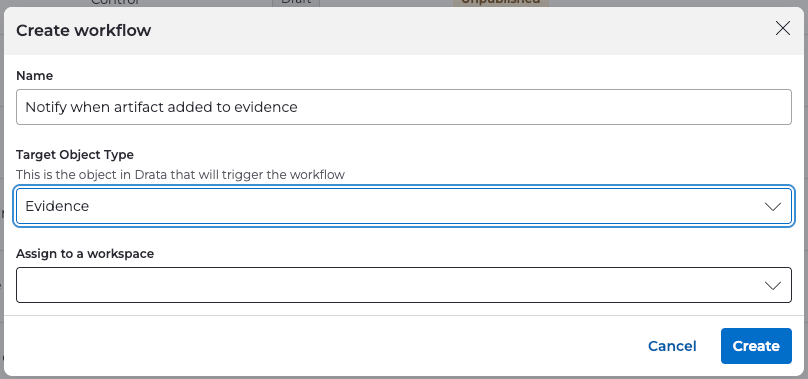
1. Create the Workflow
- Navigate to Settings → Workflows .
- Select Create Workflow .
-
Configure:
-
Name:
Notify when artifact added to evidence -
Object Type:
Evidence
-
Name:
2. Define the Workflow Scope
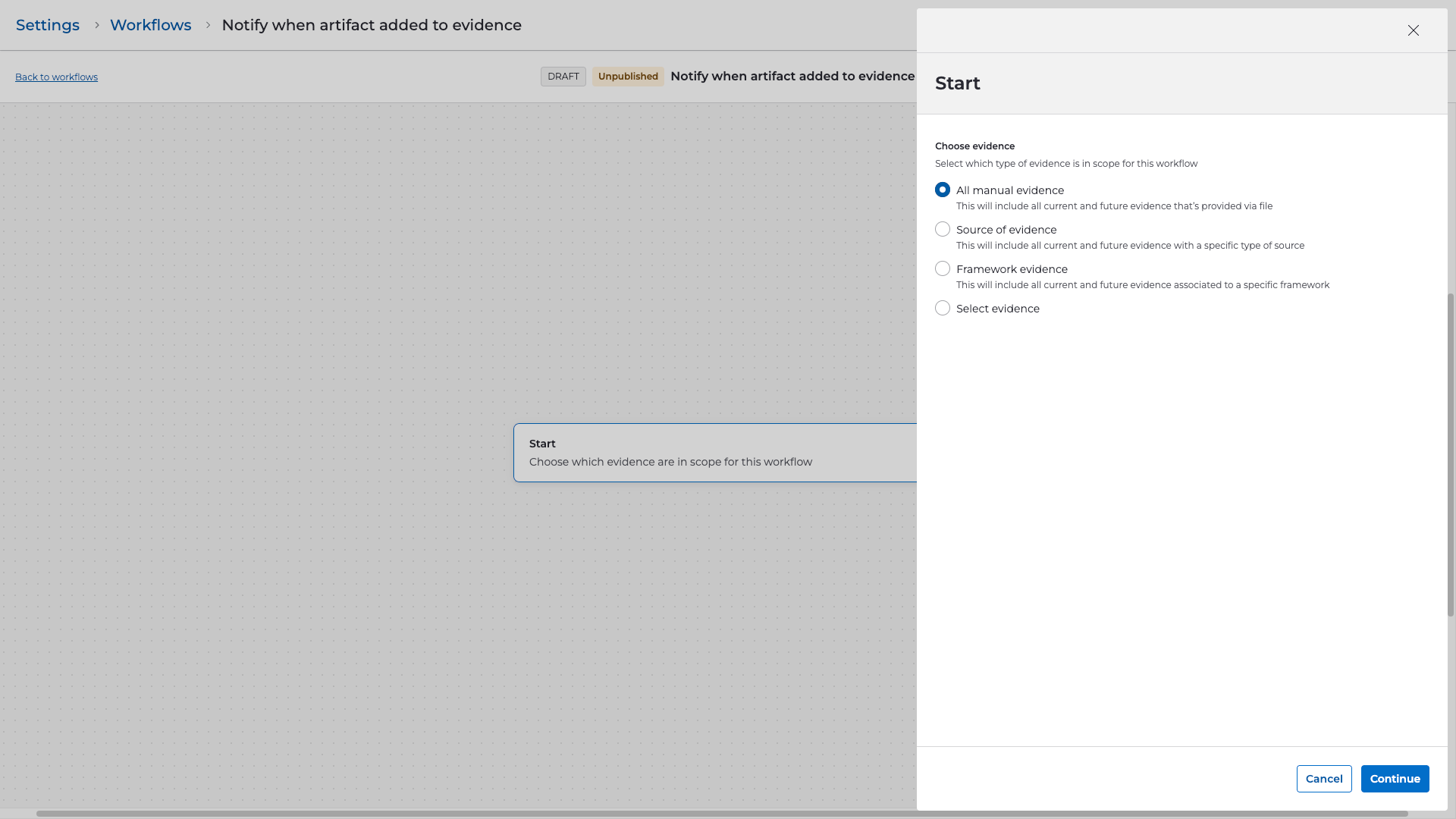
- Under the Start step, choose All manual evidence .
- Click Continue to proceed.
3. Select the Trigger
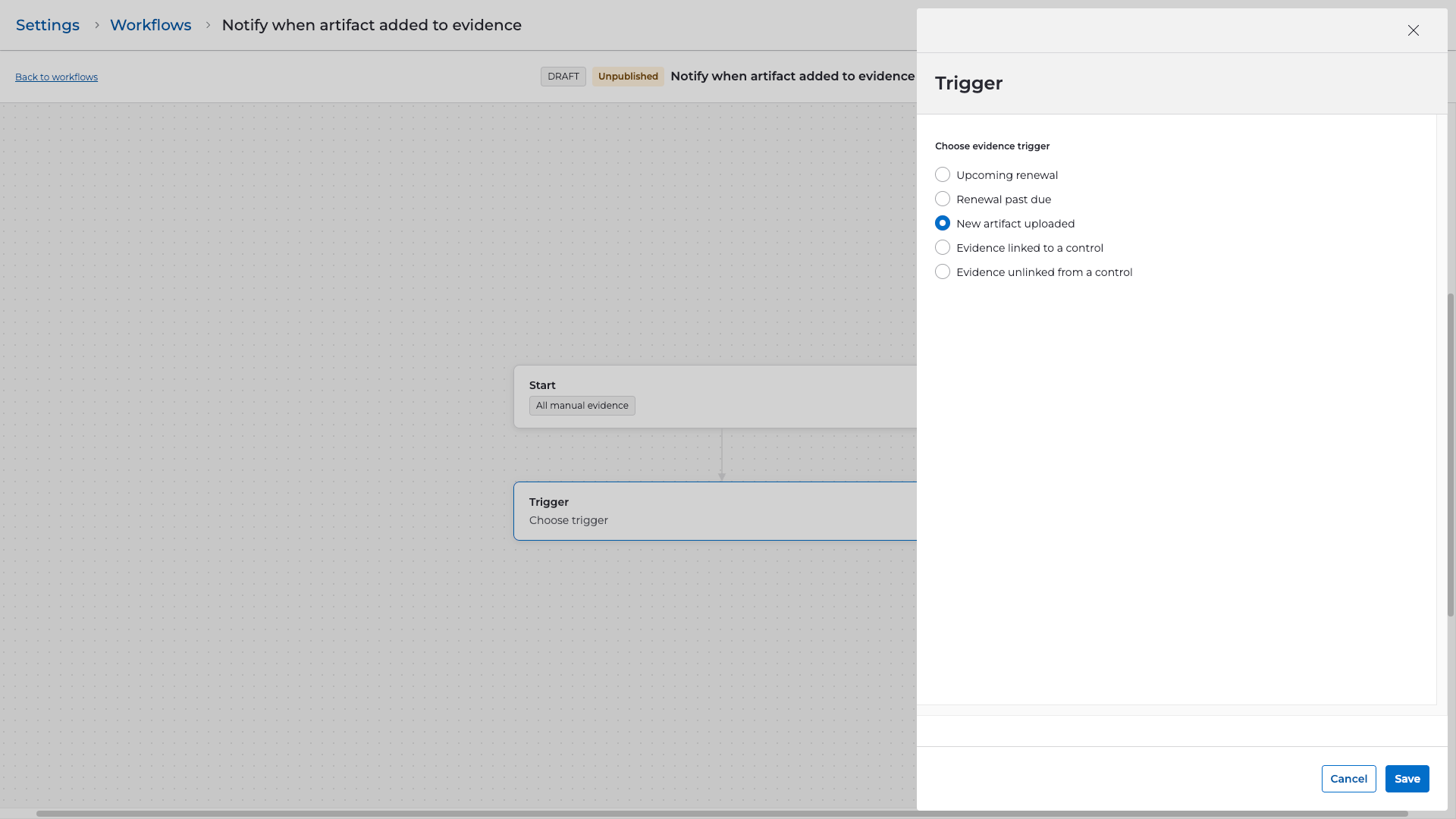
- Choose New artifact uploaded as the trigger.
- This event fires whenever a user uploads a new artifact file to an existing evidence item.
4. Add Steps
Send Notification (Email Example)
- Add a Send notification step.
-
Select your preferred notification method:
- Slack message
- Microsoft Teams message
- For this example, configure Email .
- Set Control Owner as the recipient.
-
Use dynamic variables such as:
-
{{evidence_name}} -
{{new_artifact_uploaded_file_name}} -
{{new_artifact_uploaded_by}} -
{{new_artifact_uploaded_on}} -
{{evidence_linked_control_name}}
-
Example Email Subject:
New artifact uploaded to evidence: {{evidence_name}}
Example Email Body:
Hello,

A new artifact has been uploaded to the evidence item "{{evidence_name}}" linked to control "{{evidence_linked_control_name}}".

Uploaded By: {{new_artifact_uploaded_by}}
File Name: {{new_artifact_uploaded_file_name}}
Uploaded On: {{new_artifact_uploaded_on}}

Please review this update to ensure all documentation remains accurate and complete.

Thank you,
Compliance Team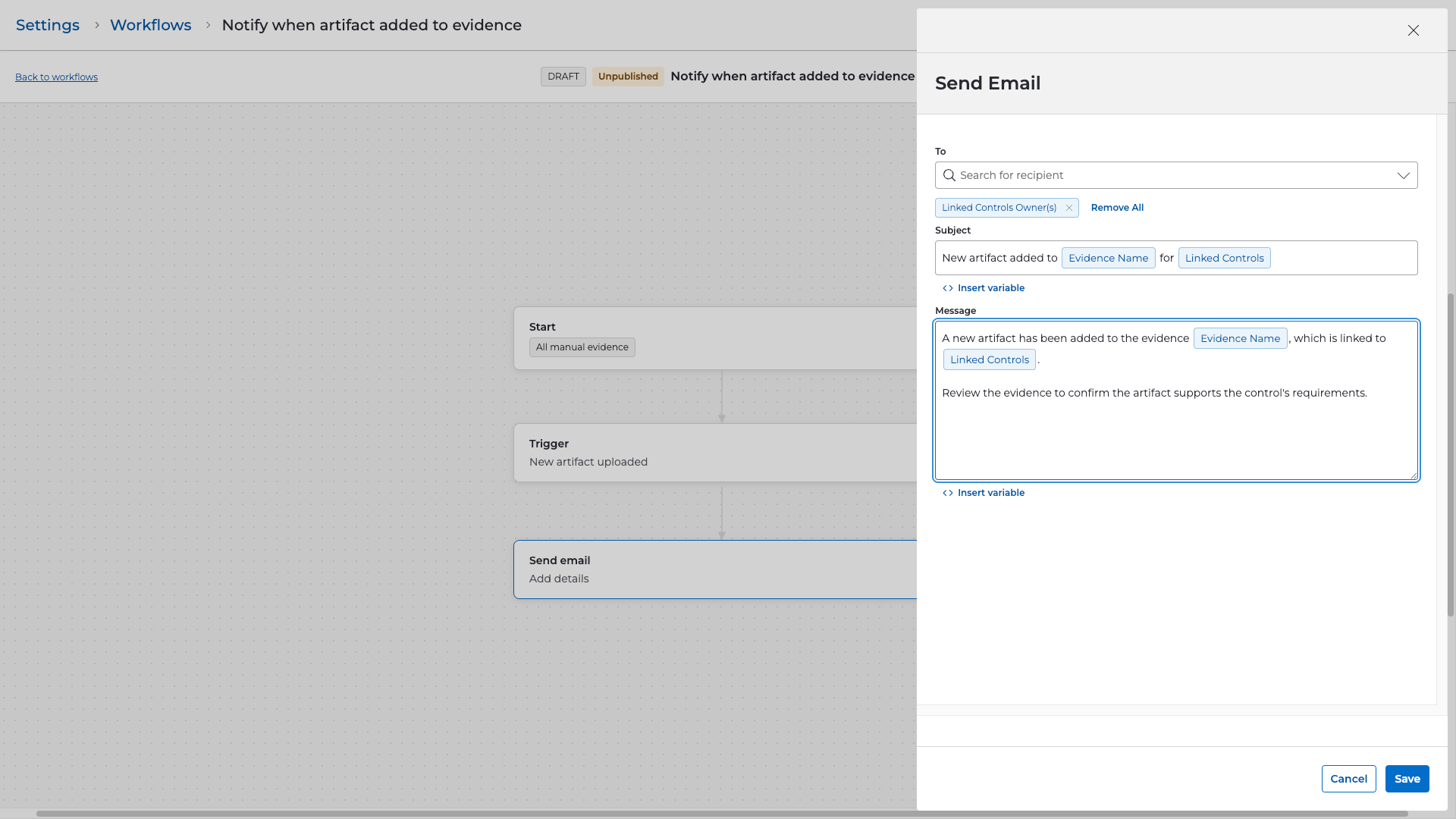
5. Review and Publish
-
Confirm workflow details:
- Scope: All manual evidence
- Trigger: New artifact uploaded
- Notification: Control Owner
- Select Publish to activate.
- Or save as Draft if further team review is needed.
Validation & Testing
- Upload a new artifact to a test evidence item .
- Confirm the workflow fires by checking Settings → Workflows → Run History .
- Verify the control owner receives the notification.
- Adjust message content or add additional recipients if desired.